For gas stations and convenience stores
No more paper day sheets.
Your manager enters the day once, in minutes. The day sheet, the monthly report and the view of every store build themselves.
$25 per store a month · Unlimited users · Nothing to install
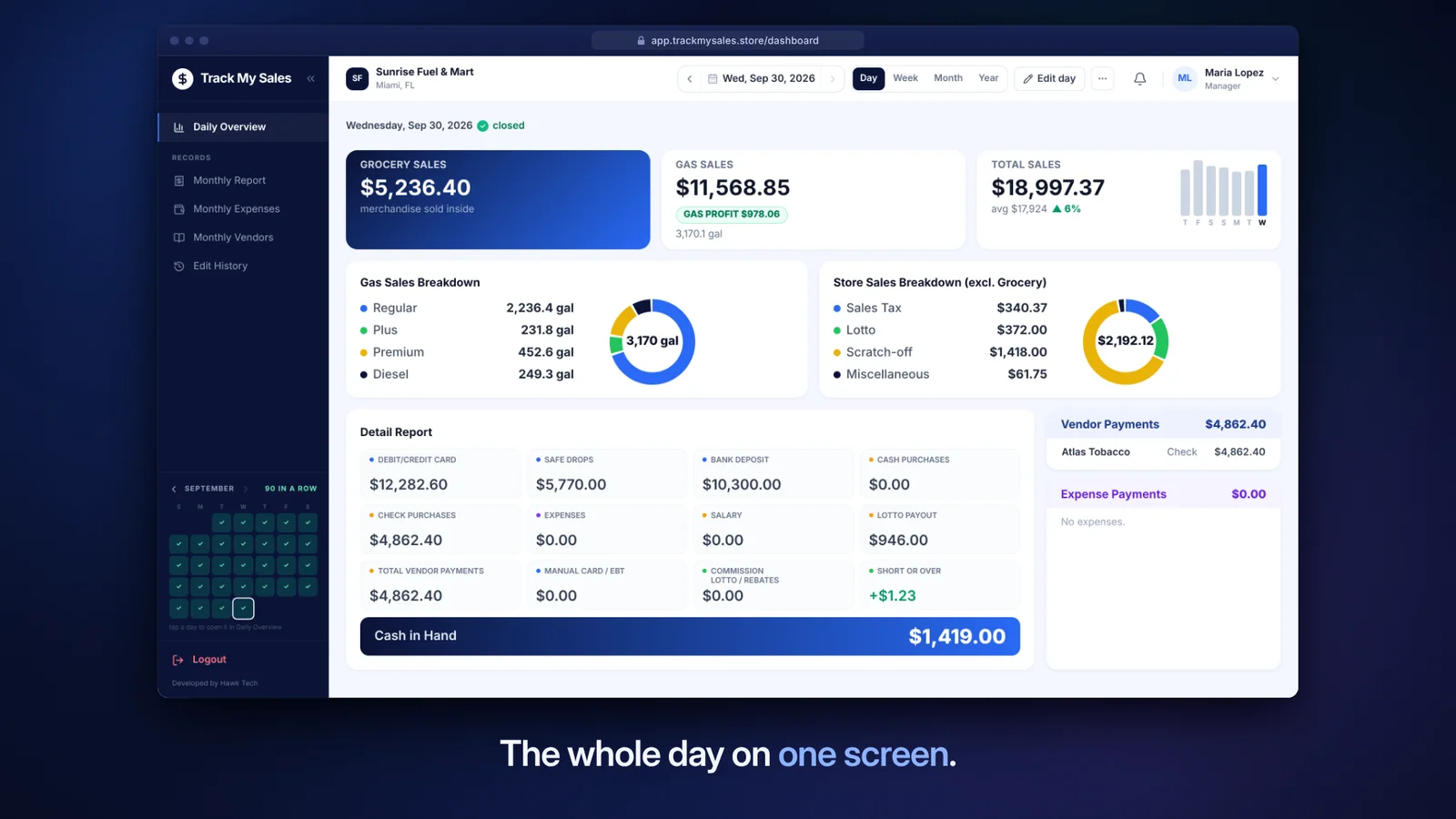 Watch the demo0:56
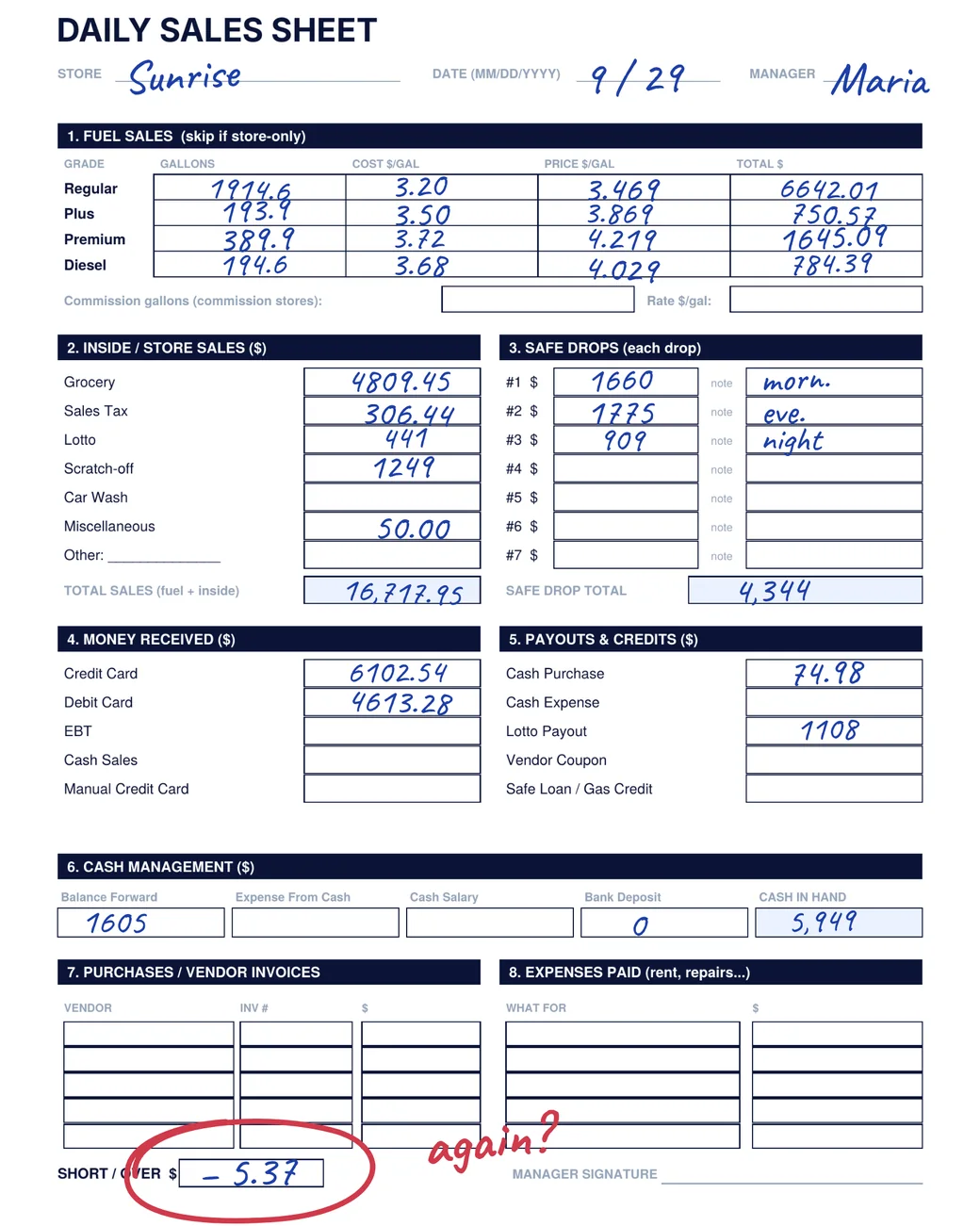
Paper day sheets
Three things you want to know every night.
On paper, you find out when the sheet reaches you.
- Did every store close?
- A day with no sheet shows in red on that store's calendar.
- Is a drawer short?
- Short or over is worked out as the day is entered, to the penny.
- Where did the money go?
- Vendor invoices, expenses, salary, safe drops and bank deposits are on the same sheet as the sales.
How it works
The day is entered once. Every report comes from it.
-
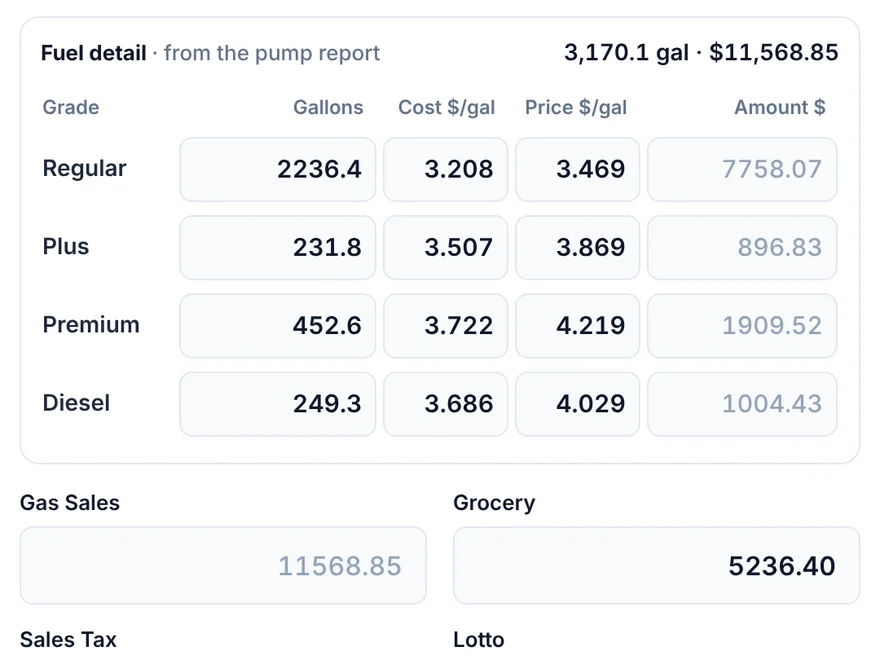
Your manager enters the day
At close, they type the totals from the register and pump reports: gallons, inside sales, vendor invoices, safe drops, cards and lottery. The screen uses the same lines as the paper sheet.
-
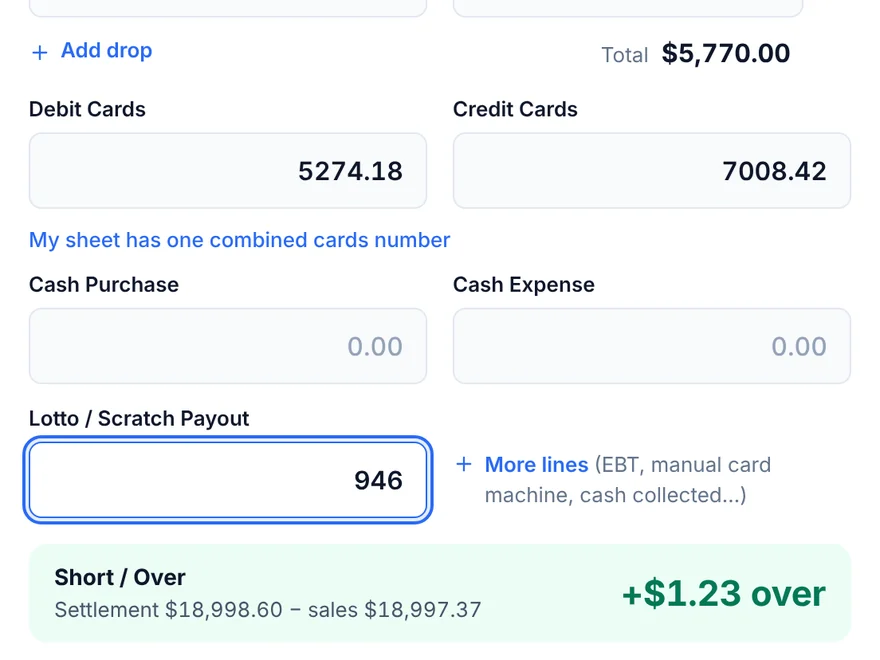
The sheet does the adding up
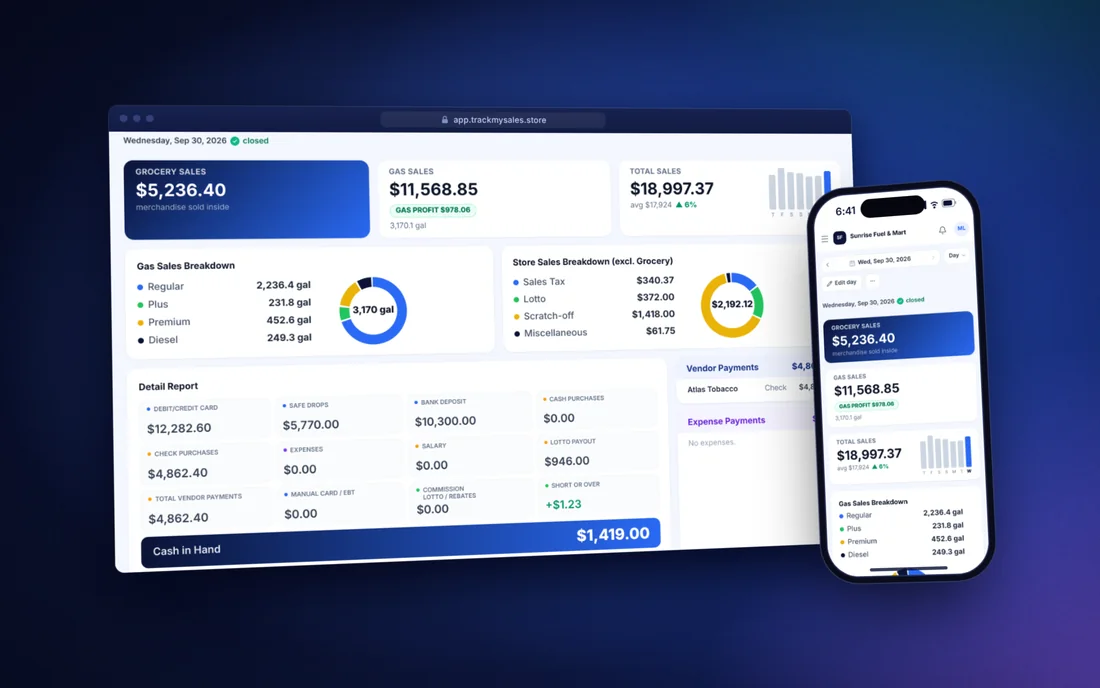
Totals, short or over and cash in hand are worked out as the numbers go in. Cash in hand carries over to the next day.
-
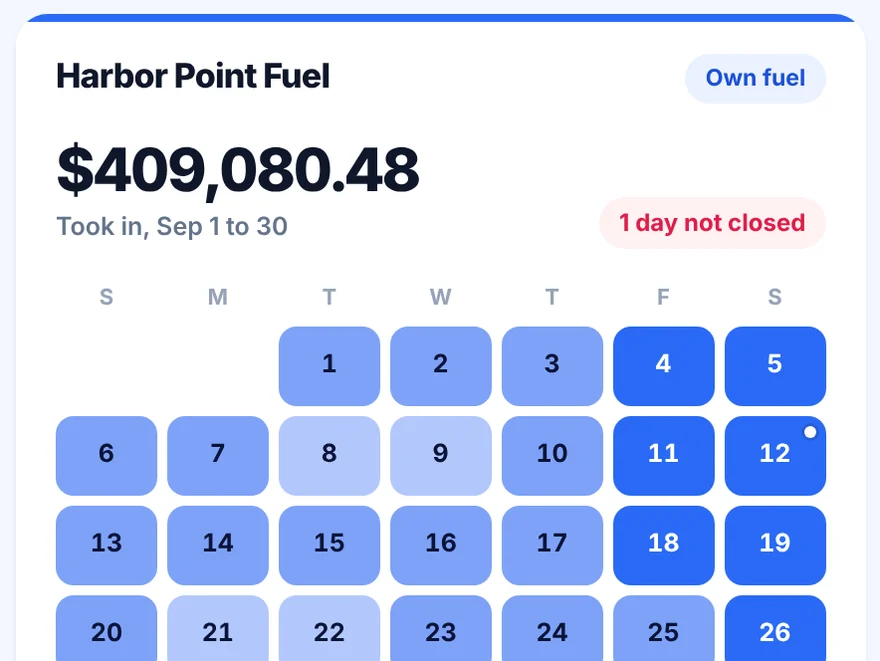
You see every store
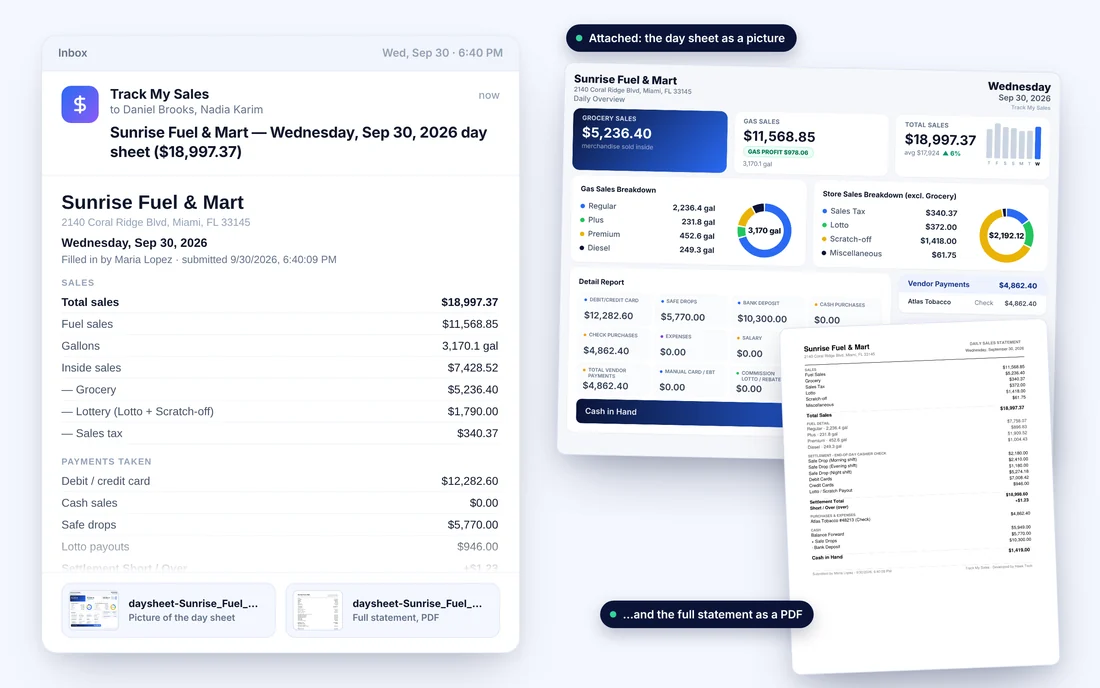
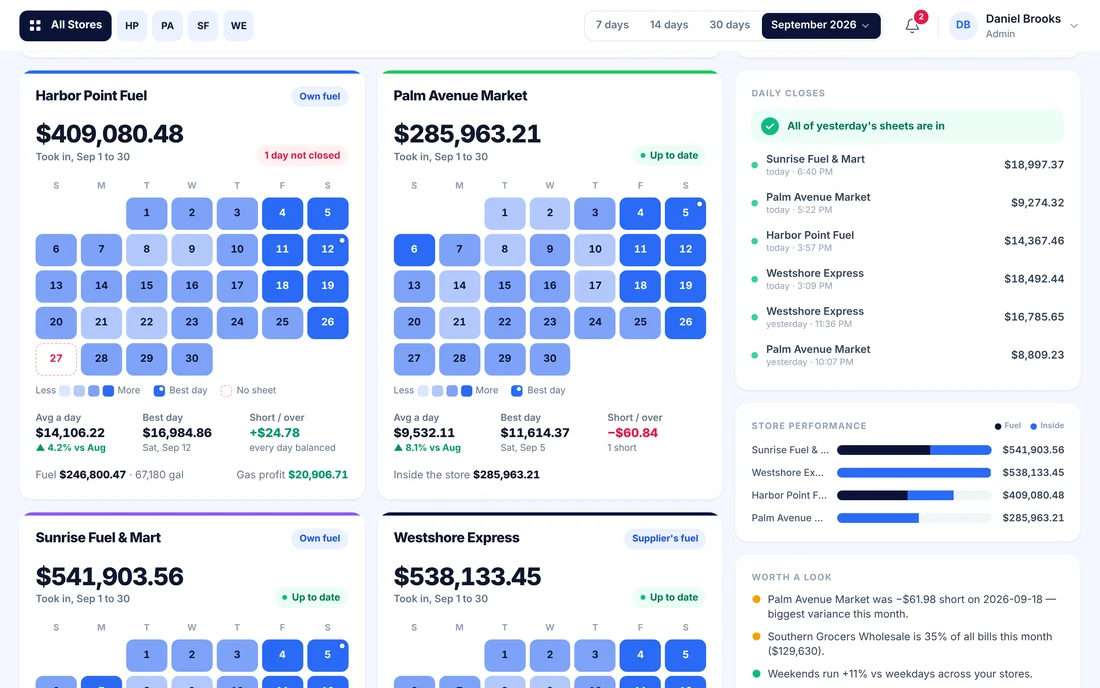
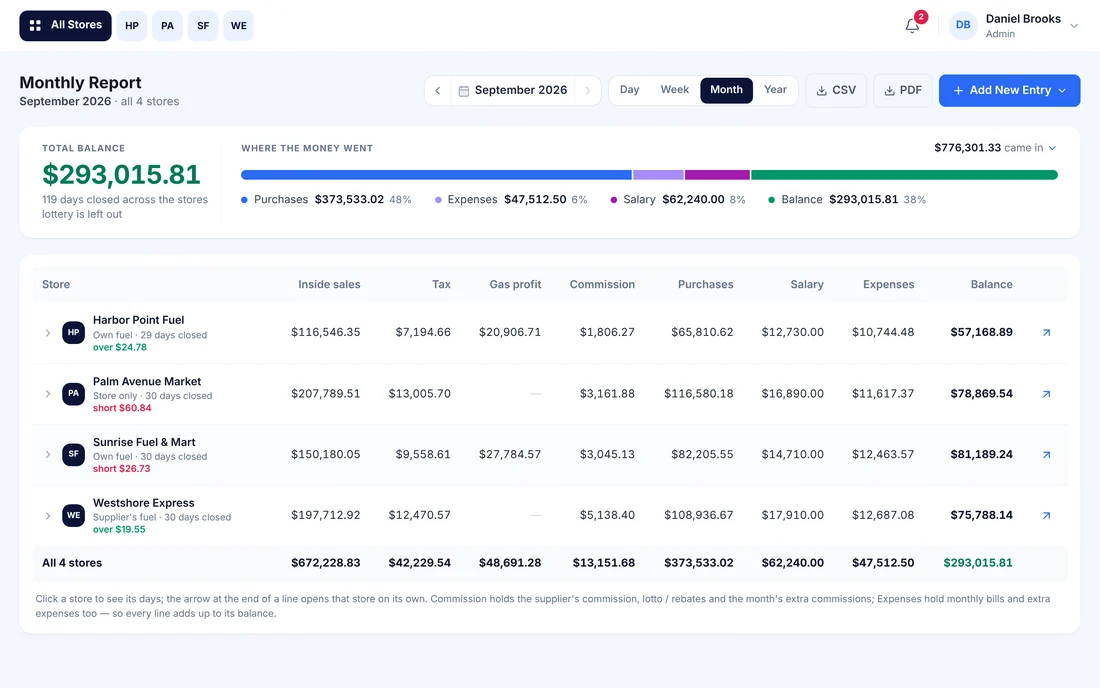
The day sheet is emailed to you when the day is saved. On your phone or computer you see each store's month, with a missed day or a short drawer marked.
The screens
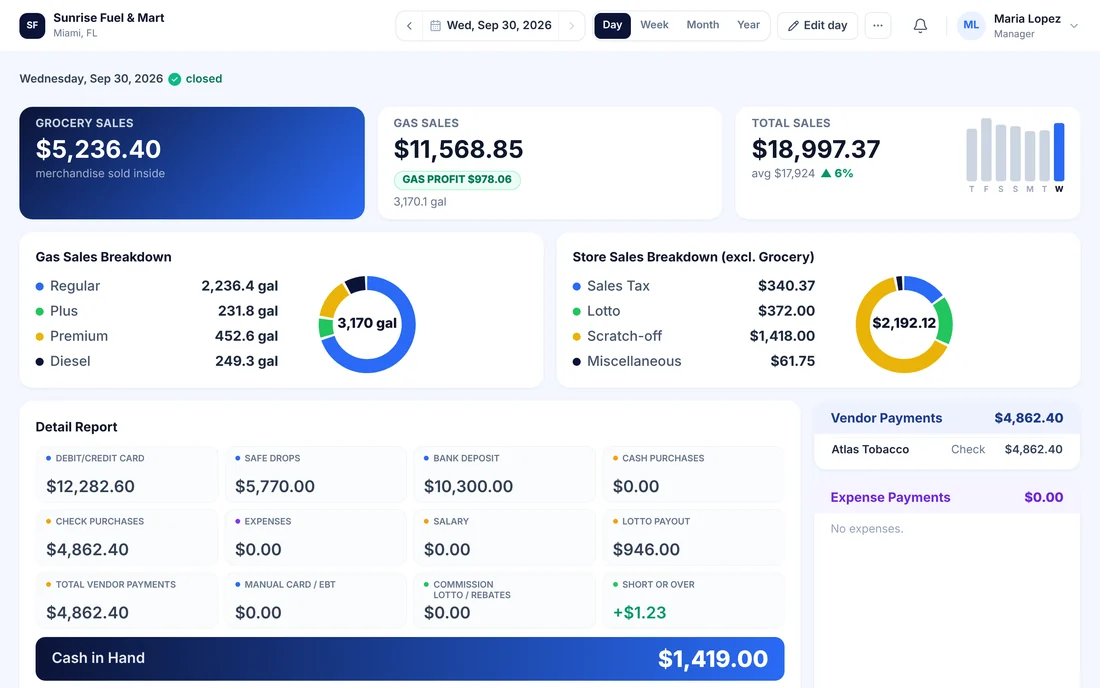
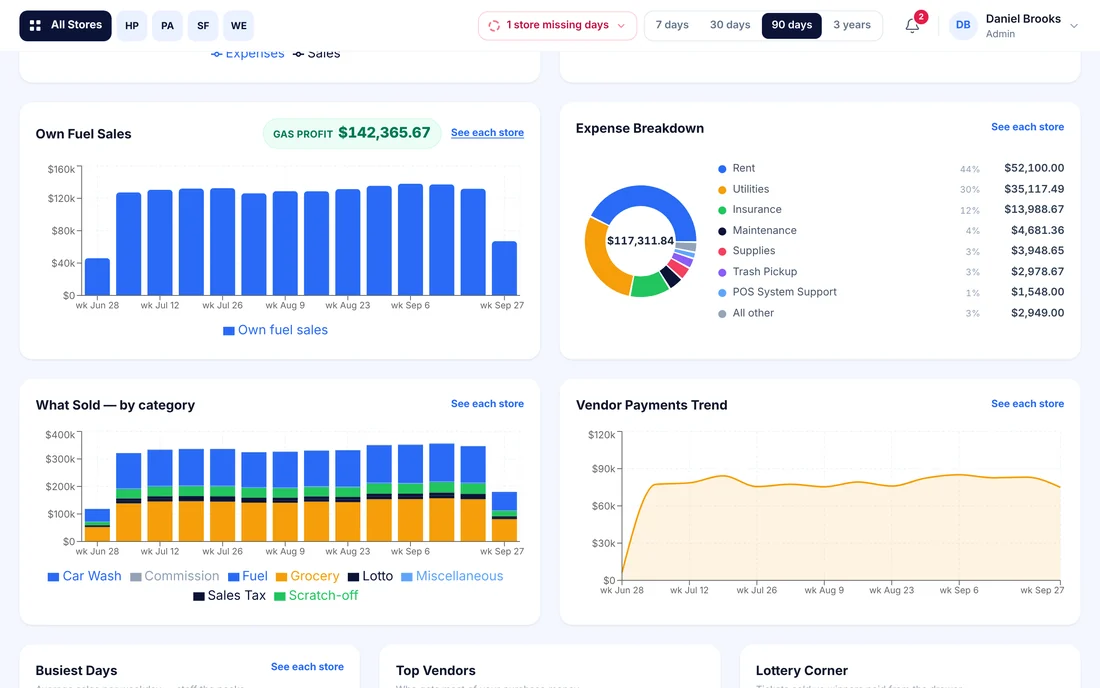
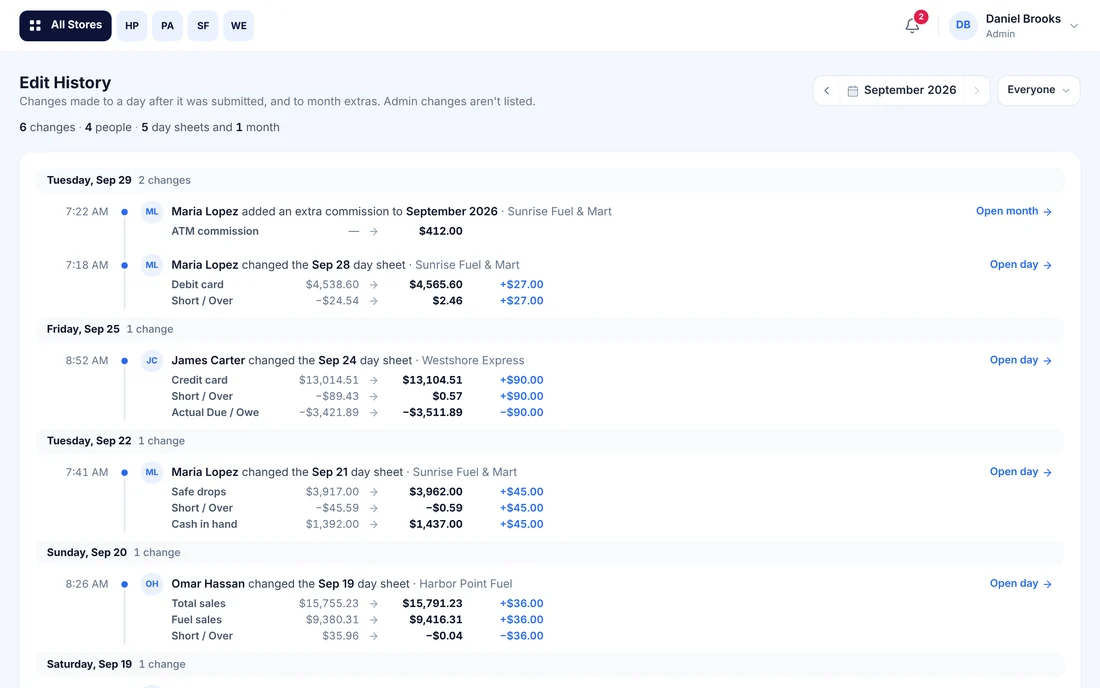
See the day, the month and every store.
Swipe or use Next to go through them. The stores and numbers shown are sample data.
Your kind of store
Set up for the way each store sells fuel.
-
Own fuel
You buy and sell your own fuel
Enter gallons by grade. Cost and price per gallon carry over from the day before, and fuel sales are worked out for you.
-
Supplier's fuel
You sell a supplier's fuel on commission
Enter gallons and your rate. The sheet works out your commission and what is due between you and the gas company.
-
Store only
You have no pumps
The same sheet without the fuel lines: grocery, lottery, scratch-offs, cards, EBT, vendors and cash.
Several stores of different kinds? Each store is set up on its own.
Pricing
One price per store.
$25per store,
per month
Or pay yearly: $300 per store, per year.
- Unlimited users: owners, partners and managers
- Daily, monthly and all-store reports, with charts
- The day sheet emailed when each day is saved
- Edit history for changes to closed days
- Phone, tablet and computer
One-time setup fee, quoted after a short call. It covers creating your stores, users, vendors and opening balances.
Book a demoDoes it connect to my register or pumps?
No. Your manager types the day's totals from the register and pump reports, the same numbers that go on the paper sheet today. Nothing is installed at the store.
What do I need to use it?
A phone, tablet or computer with a web browser. There is no app to download. You log in at trackmysales.store.
Who can see my numbers?
The people you add. Owners, partners and managers each get their own login and see only the stores they are assigned to. There is no charge per user.
Can a manager change a day after it is saved?
A manager can correct a day for 30 days. Each change is recorded with who made it, when, and the number before and after, and you are notified.
Can I get my numbers out?
Yes. Any day saves as a picture or a PDF. The monthly report downloads as a CSV file, which opens in Excel, or as a PDF.
What does setup cover?
Creating your stores, users and vendors and entering your opening balances. The setup fee is one-time and is quoted after a short call.
Book a demo
See it with your own store's numbers.
Message us on WhatsApp, send an email, or leave your details and we will get back to you.